Dockline
Dockline is an enterprise platform for distribution centres — the warehouses where trucks arrive, load at docks and depart to serve a retail store network. We designed it end to end: research, information architecture, a two-platform design system, and high-fidelity screens for a desktop control room and a mobile field app.
- Client
- Distribution centre operators
- Role
- Product strategy, UX/UI & design system
- Timeline
- Discovery to high-fidelity design
- Platform
- iOS field app + web control room
Overview
Services: User research, Information architecture, Design system, Desktop control room, Mobile field app, Prototyping.
Distribution centres that supply large retail networks run on spreadsheets, a legacy warehouse management system and phone calls between the yard and the office. Dock bookings live in one place, fleet locations in another, and transport costs get reconciled by hand at the end of the month. When a truck is late, the store finds out before the warehouse does.
We started from a simple premise: a distribution centre is a control problem before it’s a software problem. Twelve in-depth interviews across four roles — yard manager, fleet dispatcher, operations and finance analyst, head of logistics — led to one structural decision. Split the product in two, not four: a desktop control room for anyone planning, watching or reconciling from a desk, and a mobile field app for anyone walking the floor or driving.
What if a manager could see every dock, every truck and every margin in one place — and act before a delay becomes a customer complaint?
The problem
Nobody sees the whole operation
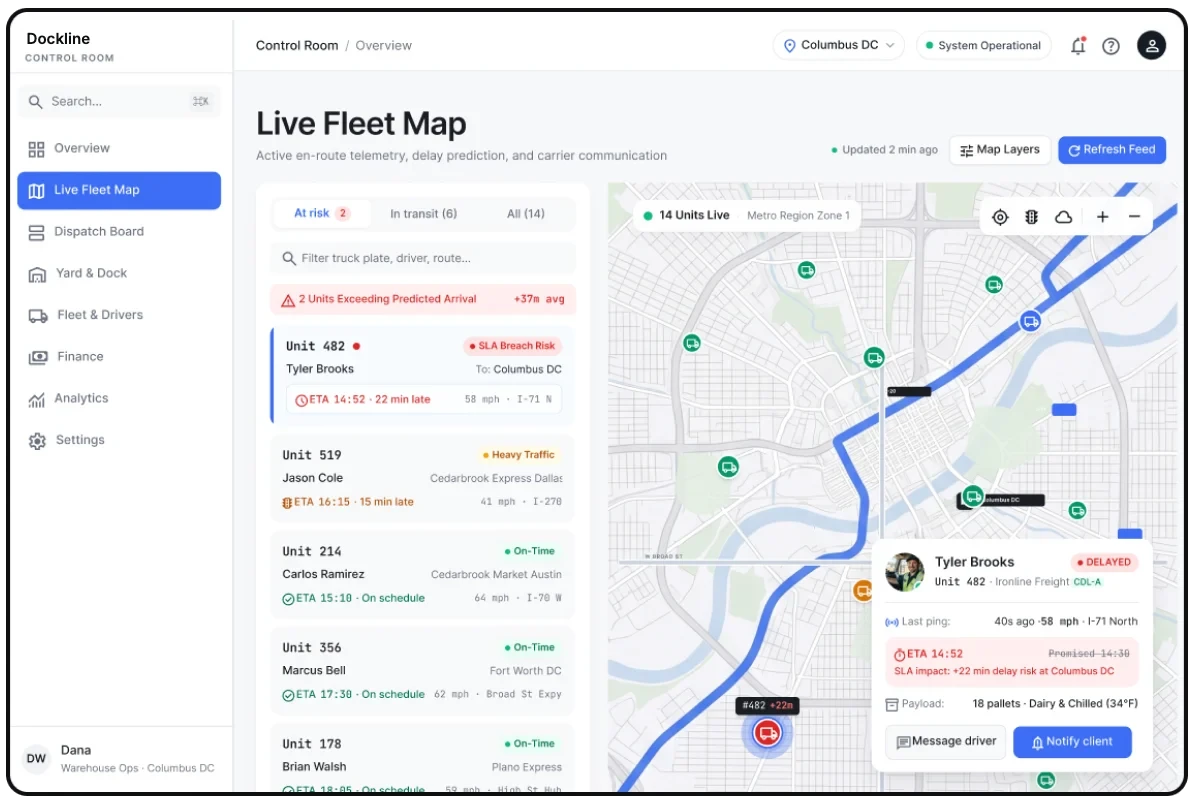
The problem: Bookings, fleet locations and performance live in different systems, and the weekly report someone builds by hand is already stale when it’s read. Each site even counts the same metric slightly differently.
What we did: An Overview that answers “are we on time?” in one number with the reason it moved underneath, and a Live Fleet Map filterable by route, driver or warehouse — with a detail panel that tells you where, how fast and how late, without leaving the map.
For users: The head of logistics gets one number she trusts, with shared definitions across every site, updating live.
Dispatch lives in one person’s head
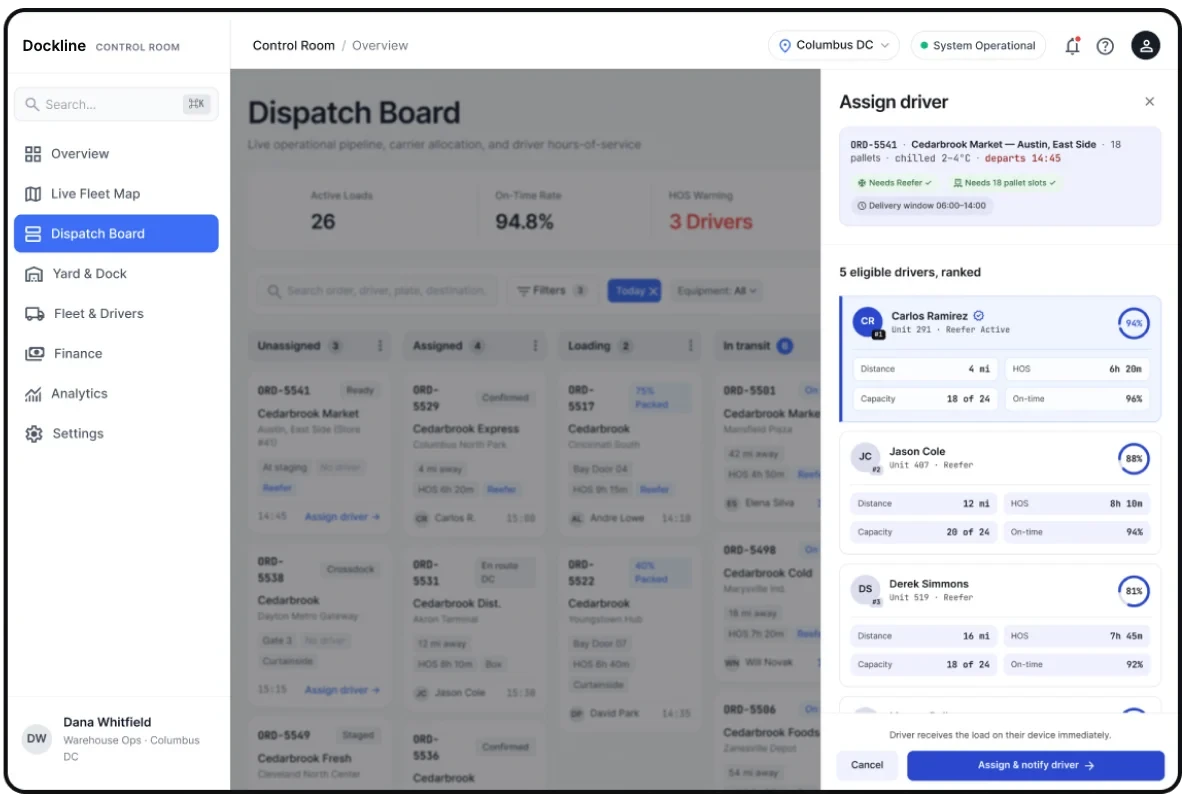
The problem: “Who’s close, who’s out of hours, who handles chilled — it’s all in my head.” Dispatchers re-enter the same load across three tools and find out a delivery is late when the store calls.
What we did: A dispatch board that shows every load from unassigned to delivered, built for a dispatcher who thinks in flow. Assigning a driver ranks every candidate by distance, hours of service, capacity and on-time record — and lists the ineligible ones with the reason.
For users: Dispatchers assign the right driver in seconds and see risk before the customer does — and the knowledge stays when they’re off.
The yard can’t trust the schedule
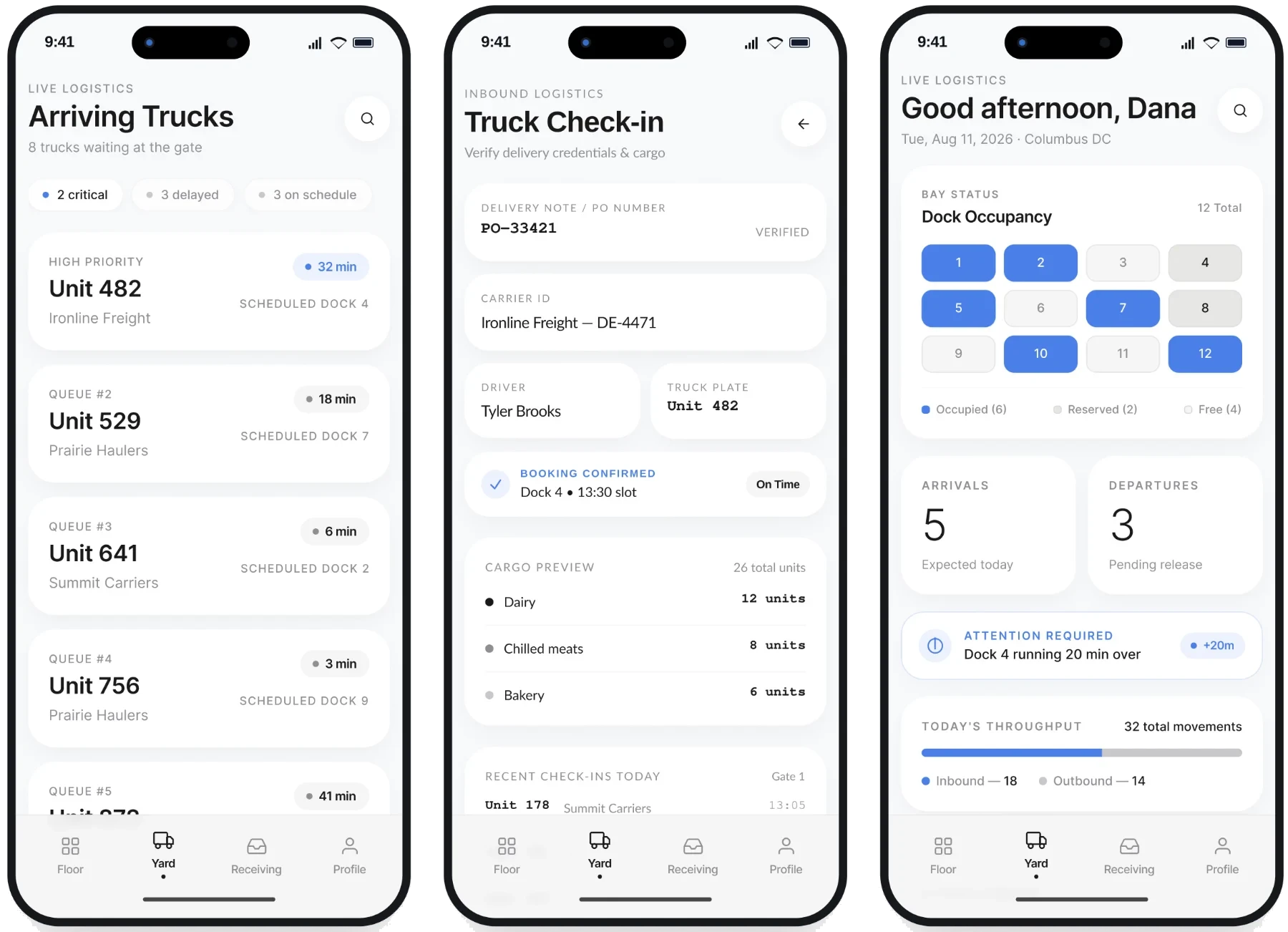
The problem: Yard managers walk the floor to check which bays are actually free, and drivers wait for a bay nobody told them was running late. Proof of delivery gets lost between paper and text messages.
What we did: A yard and dock scheduler — the physical gantt of every dock, every hour — plus a field app that opens on live dock occupancy, queues arriving trucks, checks deliveries in, and captures proof of delivery with photo and signature.
For users: Yard managers know which bay is free without leaving the office, and drivers arrive to a bay that’s actually ready.
Costs show up three weeks late
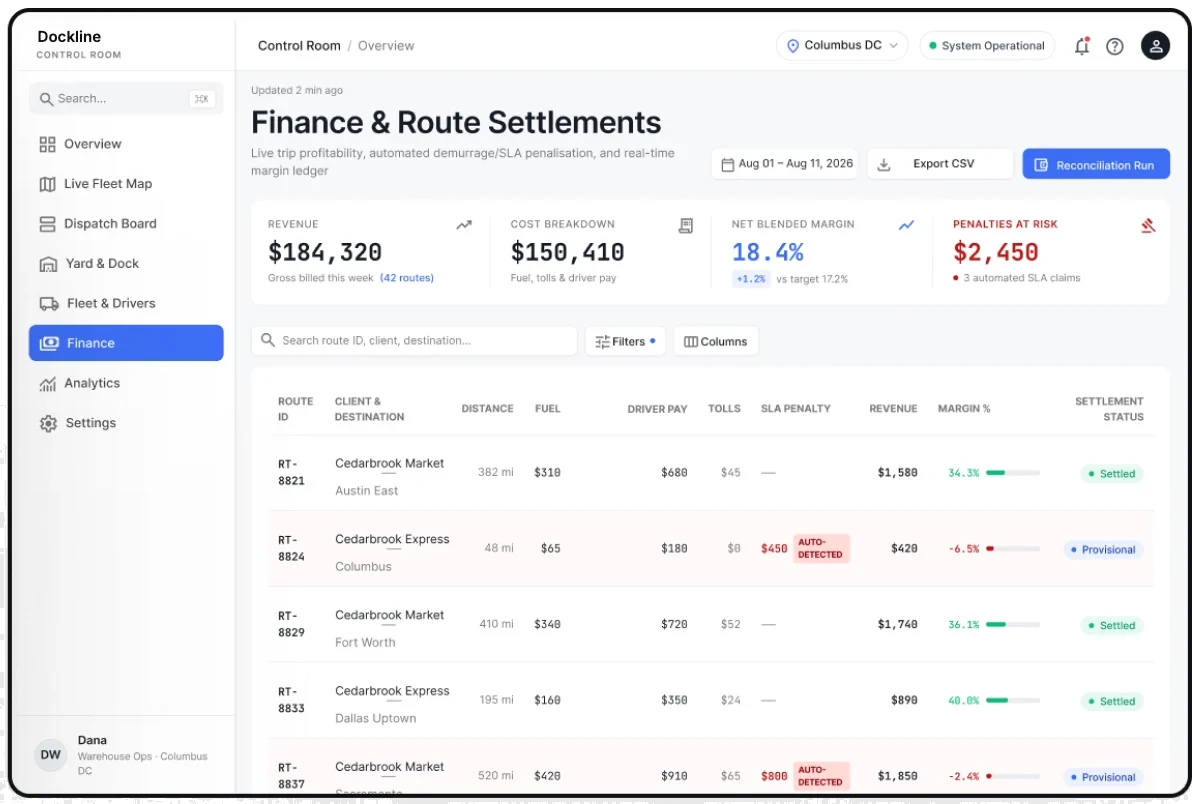
The problem: Fuel receipts, driver hours, tolls and penalty notes get pulled into one sheet at month end. Nobody knows whether a route made money until weeks after it ran.
What we did: Finance shows margin per route while the load is still moving, with SLA penalties captured at source instead of buried in an email thread. Fleet & Drivers answers whether there’s enough legal, qualified capacity for tomorrow — and flags documents about to expire.
For users: Finance analysts see what a route costs at booking time, and stop explaining the past instead of preventing it.
Outcomes: One system, from dock to delivery
- 12+ in-depth interviews across four operational roles
- 25 core screens across desktop and mobile
- 2 platforms on one shared design system
The hardest decision wasn’t any single screen — it was resisting one dashboard for everyone. Splitting the product by where a person physically stands, at a desk or on the floor, rather than by job title, is what made the rest of the system fall into place.