Locked In: a Shopify theme for publishing, selling, and owning your ad space
Mike Gogno, Founder @ ProductBloom · Oct 23, 2026
Locked In is a Shopify Online Store 2.0 theme by ProductBloom for sports media brands, creators, podcasts, and publications. It combines stories, a portfolio, services, a shop, and a podcast with a built-in ad system for selling sponsorships directly. It’s $200 one time, with five styles, a single-store license, and 12 months of updates.
We designed Locked In in Figma, then built, tested, and packaged it with Claude Code. This post covers the decisions behind the theme, what needed fixing before it was ready to sell, and how to make it yours.
Locked In: Shopify theme, $200 one-time
A Shopify theme for sports media, creators, and podcasts
Locked In is built for people whose business includes both content and commerce: a sports publication selling sponsorships, a podcast with merchandise, or a scout offering services alongside their work.
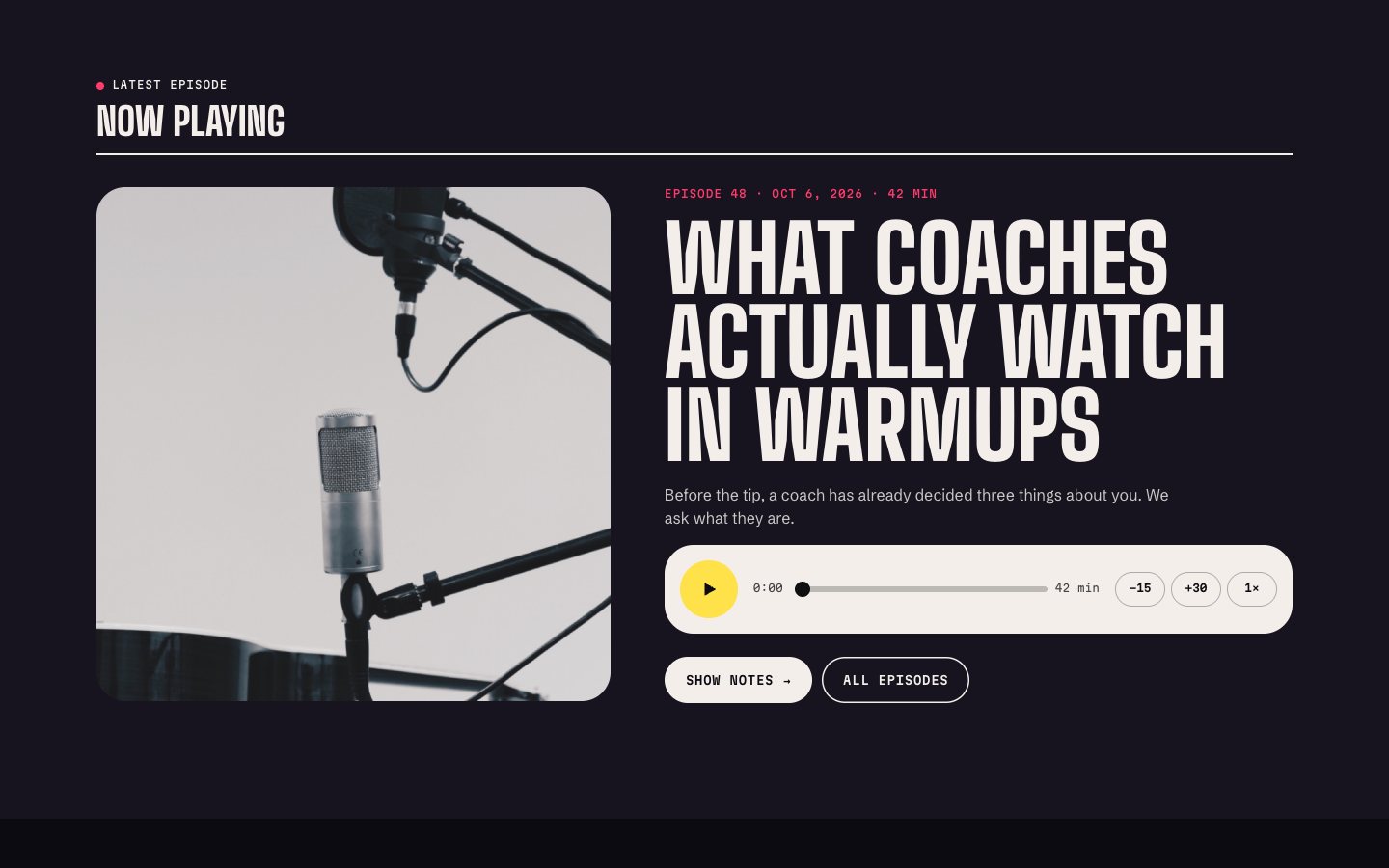
That shaped what we included. Stories support long-form reading, with reading progress, read time, and ads placed after a chosen paragraph. Podcast episodes have their own player, show notes, listen links, hosts, and sponsor strip. A services page can sell through checkout.
The goal was to support those activities within one Shopify store, with sections you can add, remove, and reorder as your business changes.
Even the name needed to fit that audience. The working name was Sidecourt. We changed it to Locked In because it sounded closer to the people we were building for.
Built-in ads you sell yourself
The ad system is a central part of Locked In. You sell the sponsorship directly, choose the creative, and link each ad to the sponsor’s site. It runs without an ad network, an extra app, or outside ad scripts.
There are seven placement sizes, plus a site-wide “presented by” sponsor. You can upload finished artwork or use a native format that lays out the sponsor’s logo, headline, and button in your site’s type and colors. Every ad is clearly labeled.
Start and end dates switch campaigns on and off. Multiple sponsors can rotate in one slot, with weights controlling their relative frequency. In-story placements let you choose where an ad appears within an article, and UTM tagging and first-party events support measurement.
There’s also a partners page that works as a media kit, with live ad specifications. That gives prospective sponsors a place to see the formats you offer.
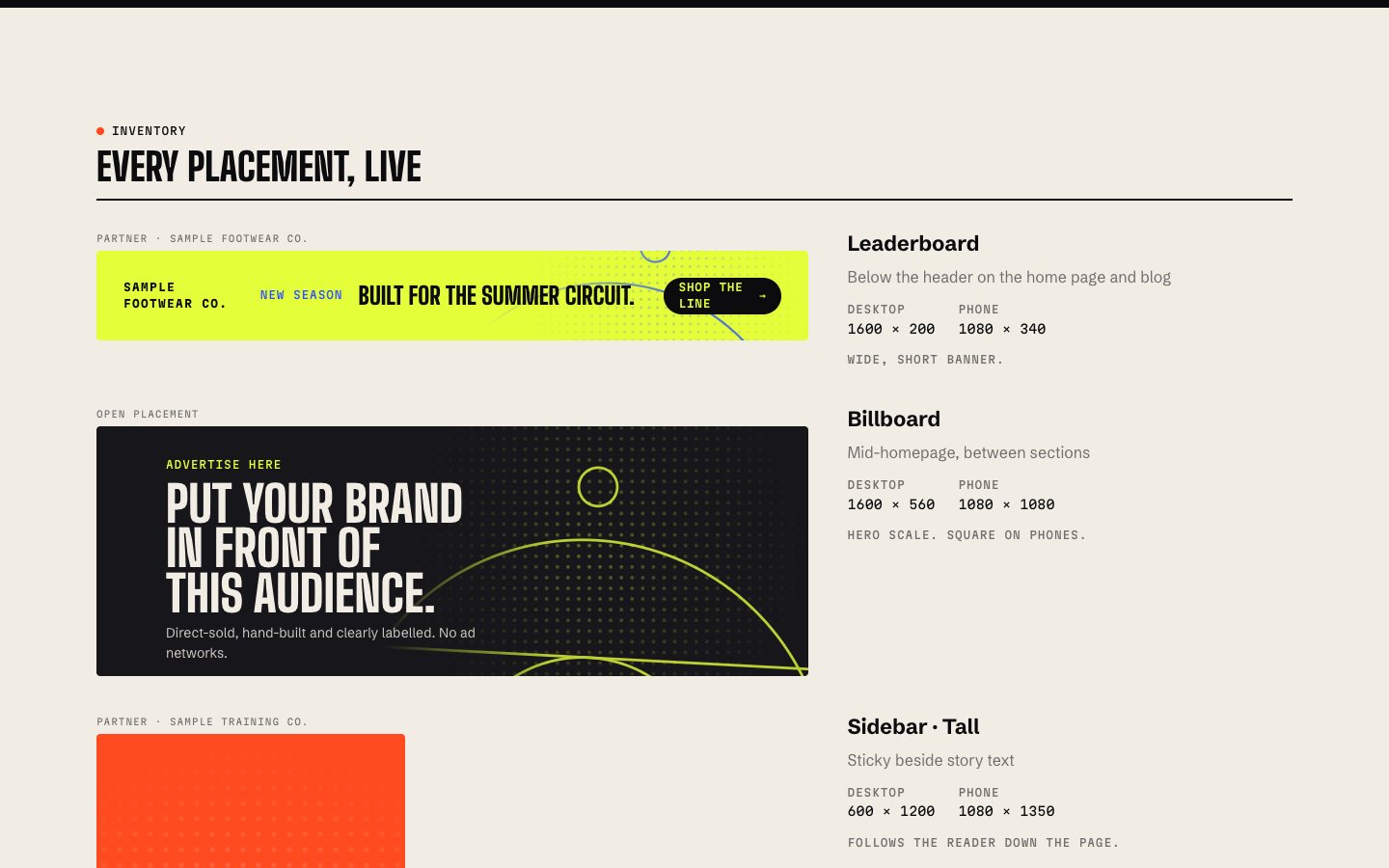
For a publisher, these controls connect the sponsorship agreement to what actually appears on the site. A sponsor needs a destination link, a campaign needs dates, and a placement needs specifications. Those details belong in the product from the beginning.
Designing an editable Shopify theme in Figma
Mike designed Locked In in Figma. For teams building a theme, our advice is to review the sections and settings as carefully as the finished page layouts.
A buyer will bring different images, longer headlines, fewer products, and a different content order. The design needs to account for those changes before development turns them into settings.
We recommend checking a few specific cases:
- Content changes: Test a short headline, a long headline, a missing image, and a section with very little content.
- Section order: Check how sections sit next to different neighbors, including repeated backgrounds and competing headings.
- Brand changes: Define shared colors, typography, spacing, and corner styles so a new visual direction doesn’t require editing each section.
- Motion: Specify what moves and how someone can turn it off.
Locked In includes eight brand colors, four bundled typefaces or any Shopify font, and controls for width, spacing, corners, and button shape. Those are useful choices to identify during design because they affect multiple parts of the site.
Building the Shopify theme with Claude Code
We used Claude Code to build, test, and package Locked In. The finished theme includes 54 sections, 27 templates, and 72 theme settings.
Keep repeated controls consistent
Sections were generated from shared building blocks. Every ad slot uses the same fields, and sections use the same settings vocabulary. A change to shared ad-link behavior carries through wherever that building block is used.
For anyone building a theme to sell, we’d recommend deciding which controls repeat before generating more sections. Otherwise, each section creates another place to reconcile labels, behavior, and future fixes.
Review the rendered theme throughout development
We rendered the actual theme files locally with sample content so we could review pages, styles, and screen sizes in a browser before uploading to Shopify.
That review served a different purpose from checking the code. We could assess what someone would see and use, including how content behaved across layouts. The later upload to a development store exposed a separate problem with the new-store experience.
Run the platform’s checks
We ran Shopify’s Theme Check until it reported zero issues. It caught unused variables and a deprecated font default, among other issues.
Use the checker alongside visual review. A clean result is useful evidence about the code, but the empty-store problem below still needed a store upload to become obvious.
What we fixed before selling the theme
The first upload looked nothing like the preview
The first upload to a Shopify development store worked, but the store looked empty. The theme couldn’t create the products, blog posts, and pages that made the preview feel complete.
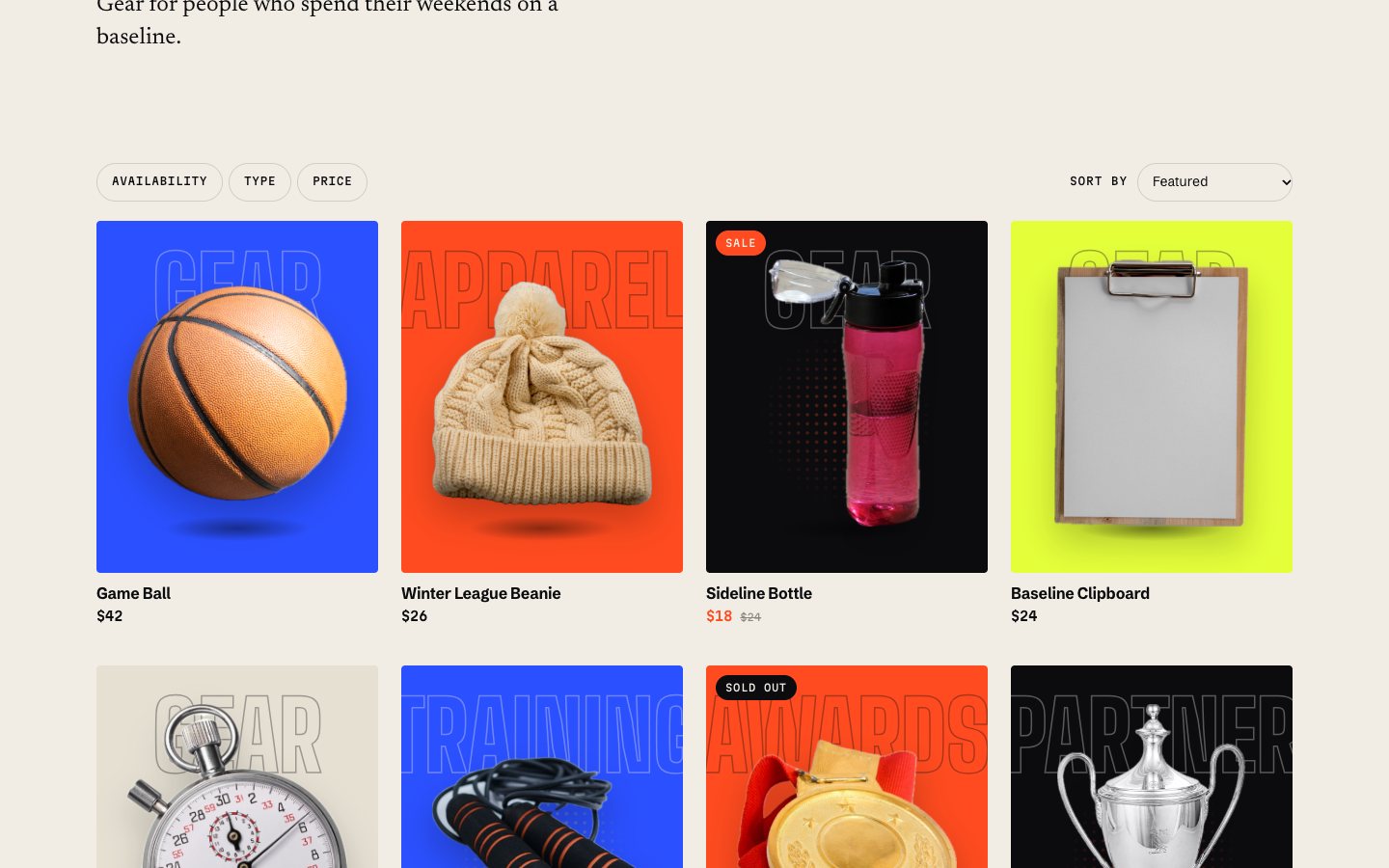
We added built-in sample content, a product import file, and a setup guide. A new store can show sample stories, episodes, products, and sponsor placements while the buyer adds their own content. Sections switch to the merchant’s content as it becomes available, and all samples can be hidden in Theme settings.
The lesson for teams selling a theme: test the first install on an empty development store early. A demo filled with content doesn’t tell you enough about what a buyer receives.
All five styles made the package too large
Our original package put every style into one theme zip and exceeded Shopify’s upload limit. We split the styles into separate theme zips, about 13 MB each.
The download still includes all five. Buyers choose the zip for their preferred style, which opens with that style’s preset layout and appearance.
Packaging deserves an early test. Upload the file someone will actually receive, using the same steps you’ll put in the installation guide.
Placeholder artwork weakened the demo
The illustrated placeholders made the demo look generic. We replaced them with public domain photography and credited every image. The photos ship only as sample content, ready to be replaced with your own.
Demo content needs its own review. It should help buyers judge the layout, and the download should clearly distinguish what’s included from what only appears in the preview.
Generated files needed an audit
Tool output can carry author names, local file paths, and document metadata into a download. We audited the whole package so only the product’s own content remained.
If you’re selling something built with coding and document tools, review the supporting files as well as the theme.
Additional settings moved to the update list
Near launch, we considered more options, including custom ad backgrounds and a highlight toggle. Those went on the update list so the theme could ship.
Our recommendation is to separate missing functionality from additional flexibility. A sponsor link was necessary for the ad to do its job. Another background option could wait.
Making the theme easy to customize
Some useful changes came from working through the theme as a buyer. We added hero artwork choices, separate shine and tilt switches, headline font and case controls, and a sponsor link field on every ad.
These changes addressed specific tasks. Someone might want their own image in the hero card, a quieter treatment without tilt, or a headline that preserves their capitalization.
The hero’s right side can show a profile card, image, latest stories, featured product, stats, video, email signup, or nothing. Buyers can also change their logo, menus, fonts, colors, and section order.
For teams deciding which settings to include, we’d start with the changes a buyer needs to publish their own brand and content. Group related controls, use consistent labels, and provide defaults that work together.
Locked In also includes off switches for its cursor effect, reveals, parallax, and progress bar. All motion respects reduced-motion settings.
Five Locked In styles on one codebase
All five styles use the same codebase, with different presets for colors, type, layout, and home page order.
| Style | Starting point |
|---|---|
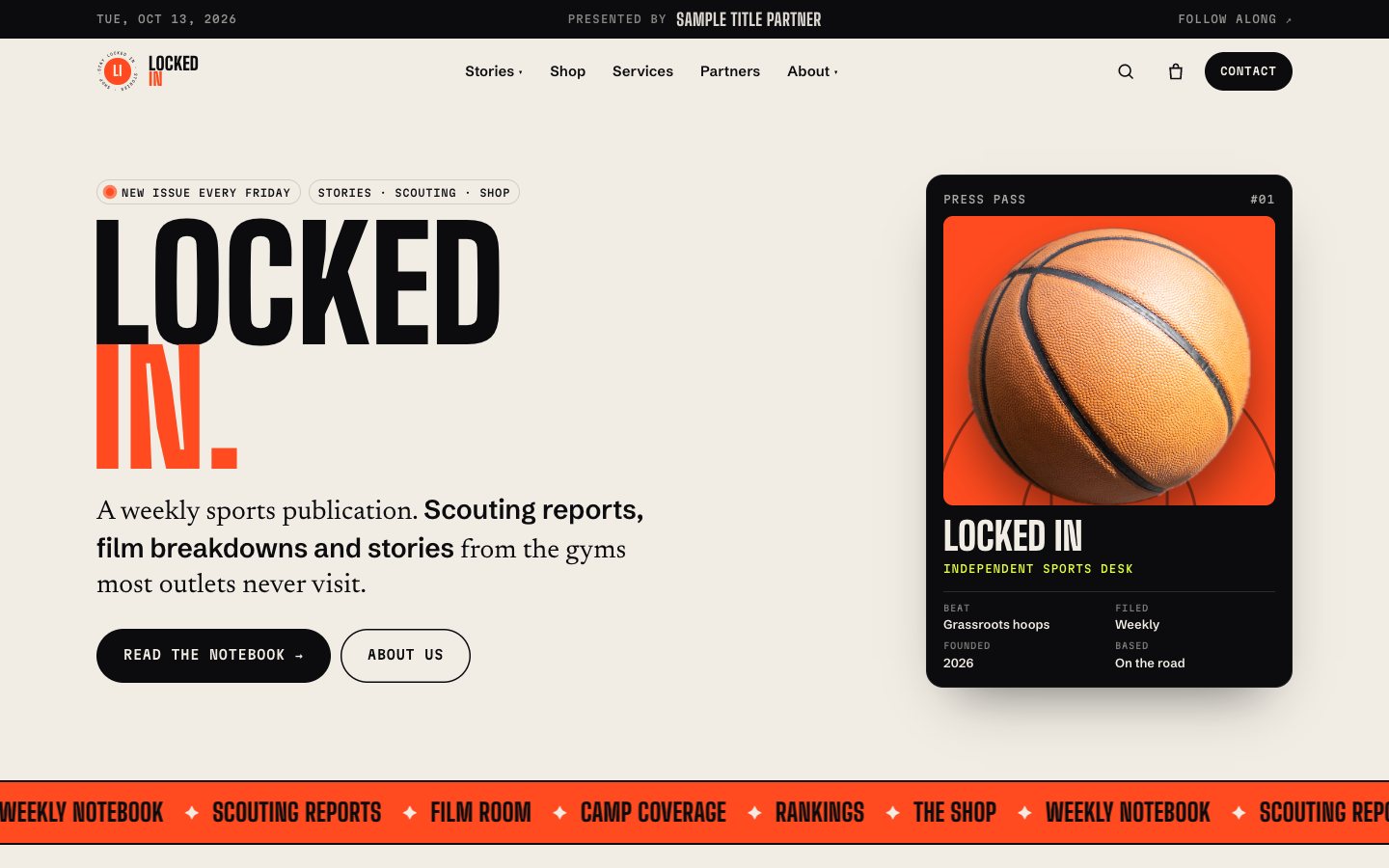
| The Press | Warm paper and flare orange, with stories leading the layout. |
| Night Run | A dark base, volt accent, and square corners. |
| Clay | Earth tones, soft corners, and a shop-first layout. |
| Ice Time | Cool blues and a full-width dark hero. |
| On Air | The podcast edition, focused on episodes, the player, and video. |
Each style ships as its own theme zip. You can explore all five in the Locked In live demos.
Licensing and selling a Shopify theme
Locked In is sold directly through ProductBloom. The $200 purchase covers one live store and its development and staging copies, with 12 months of updates. Updates are installed by uploading the new zip as a new theme and copying settings across.
The package includes the license files for all four bundled typefaces, which use the SIL Open Font License. Demo photography is public domain (CC0 or the Public Domain Mark), credited, and included only as replaceable sample content. Checkout runs through Lemon Squeezy as the merchant of record, handling checkout, receipts, and sales tax.
Our refund policy covers a theme that doesn’t work as described, is reported to hello@productbloom.io within 72 hours of purchase, and can’t be fixed by us.
If you’re preparing your own theme for sale, have your terms reviewed and check redistribution rights for every bundled asset. Our license has not been reviewed by a lawyer.
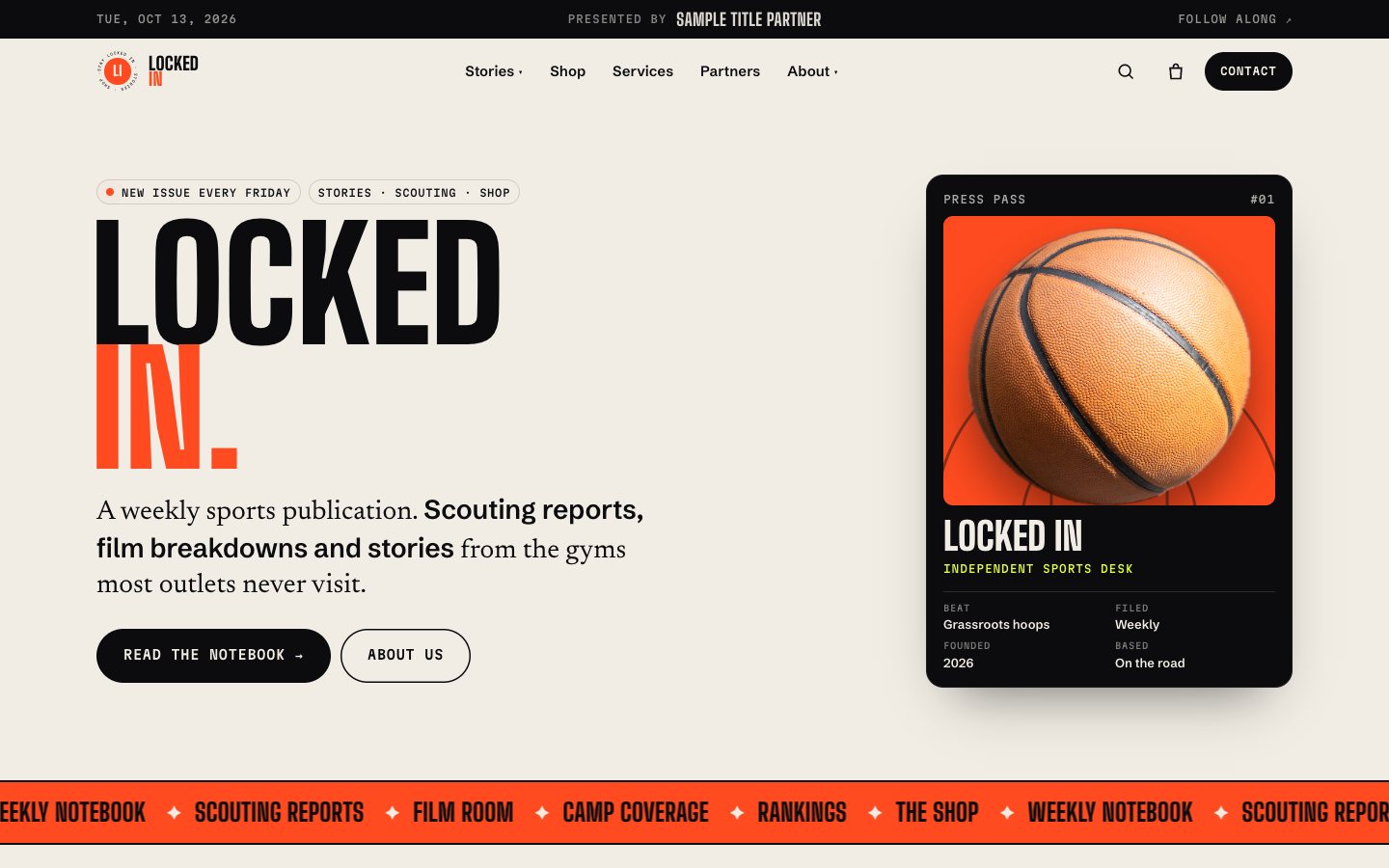 The Press: Warm paper and flare orange. Stories lead.
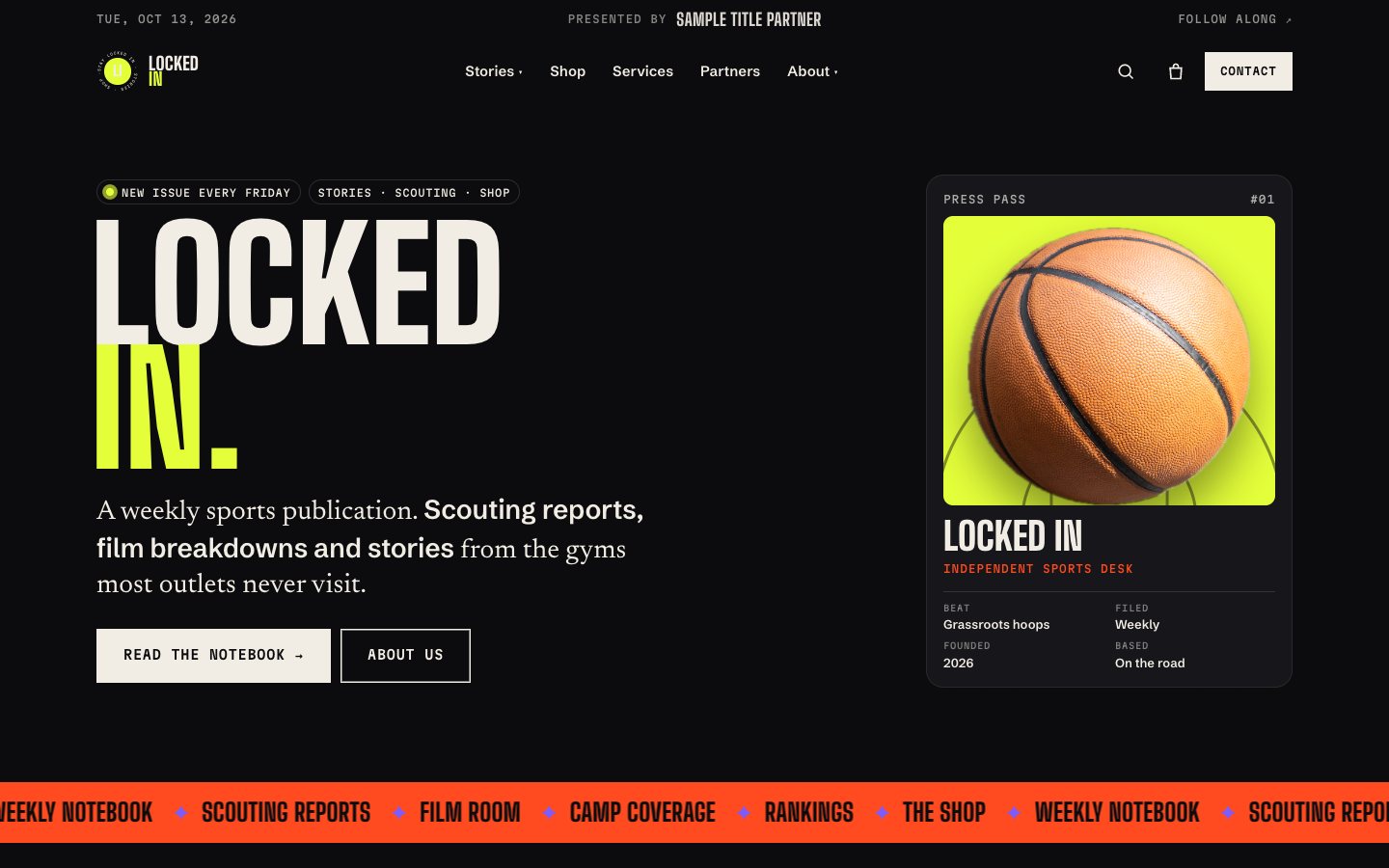 Night Run: Dark base, volt accent, square corners.
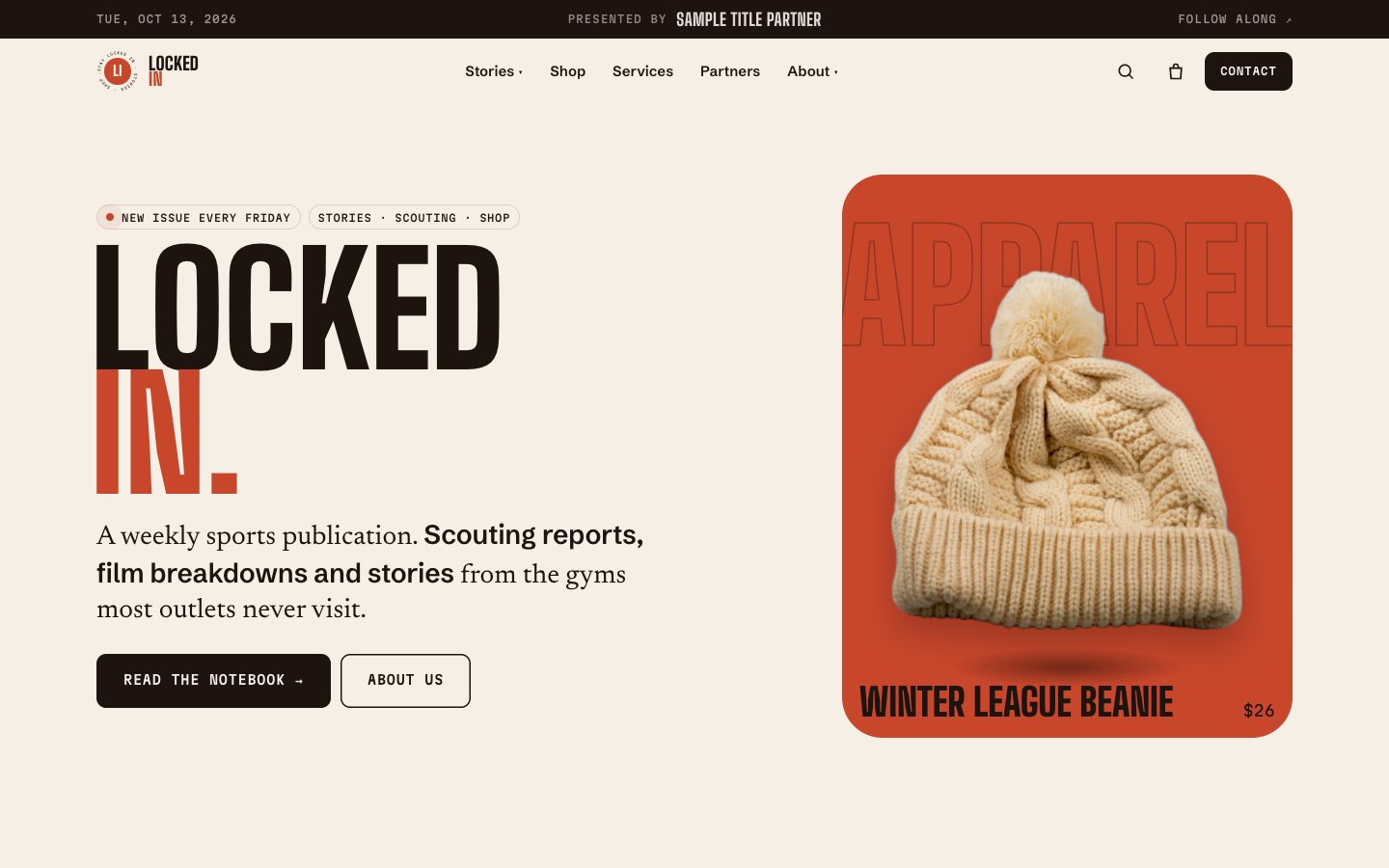 Clay: Earth tones, soft corners. Shop first.
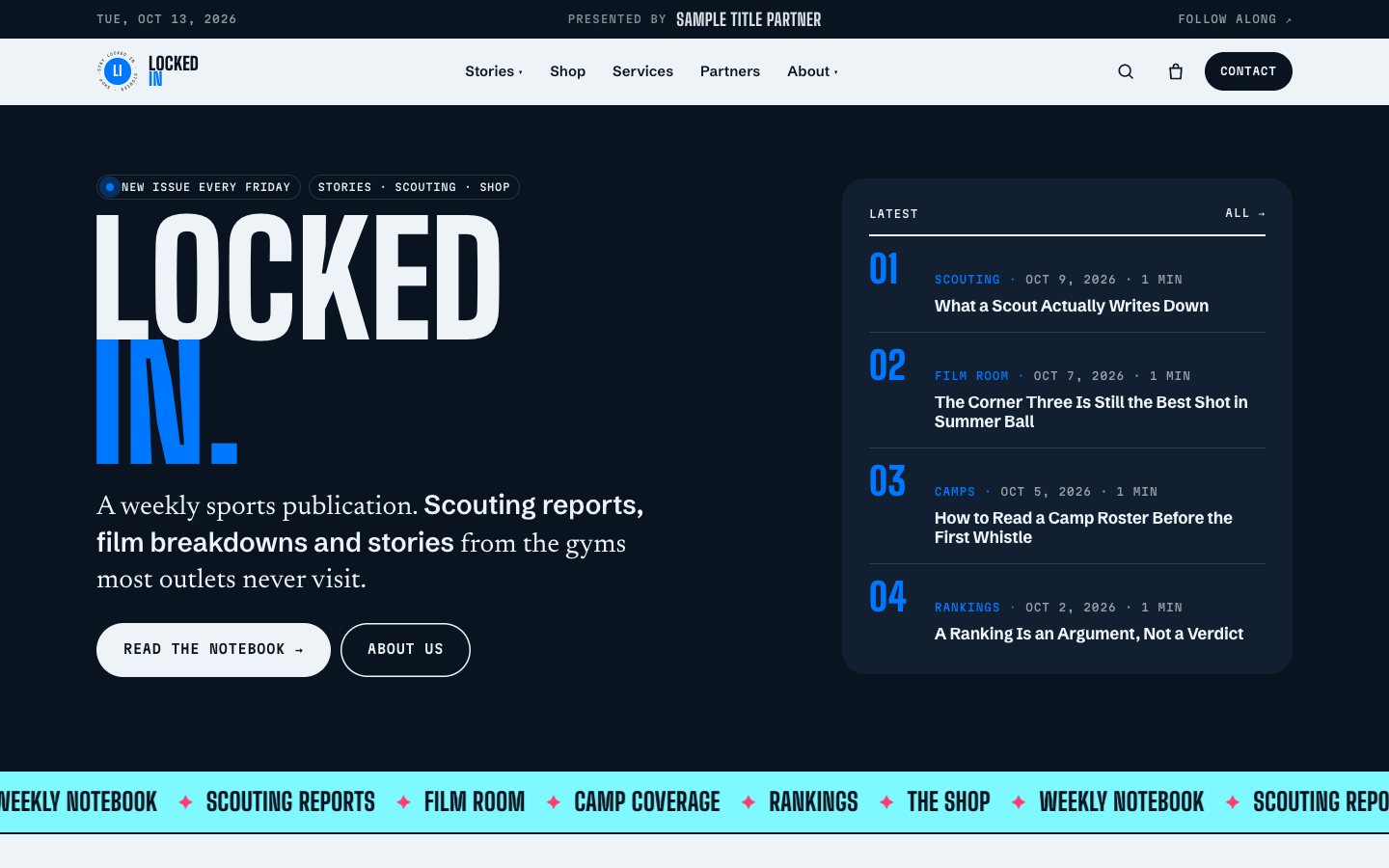 Ice Time: Cool blues, a full-width dark hero.
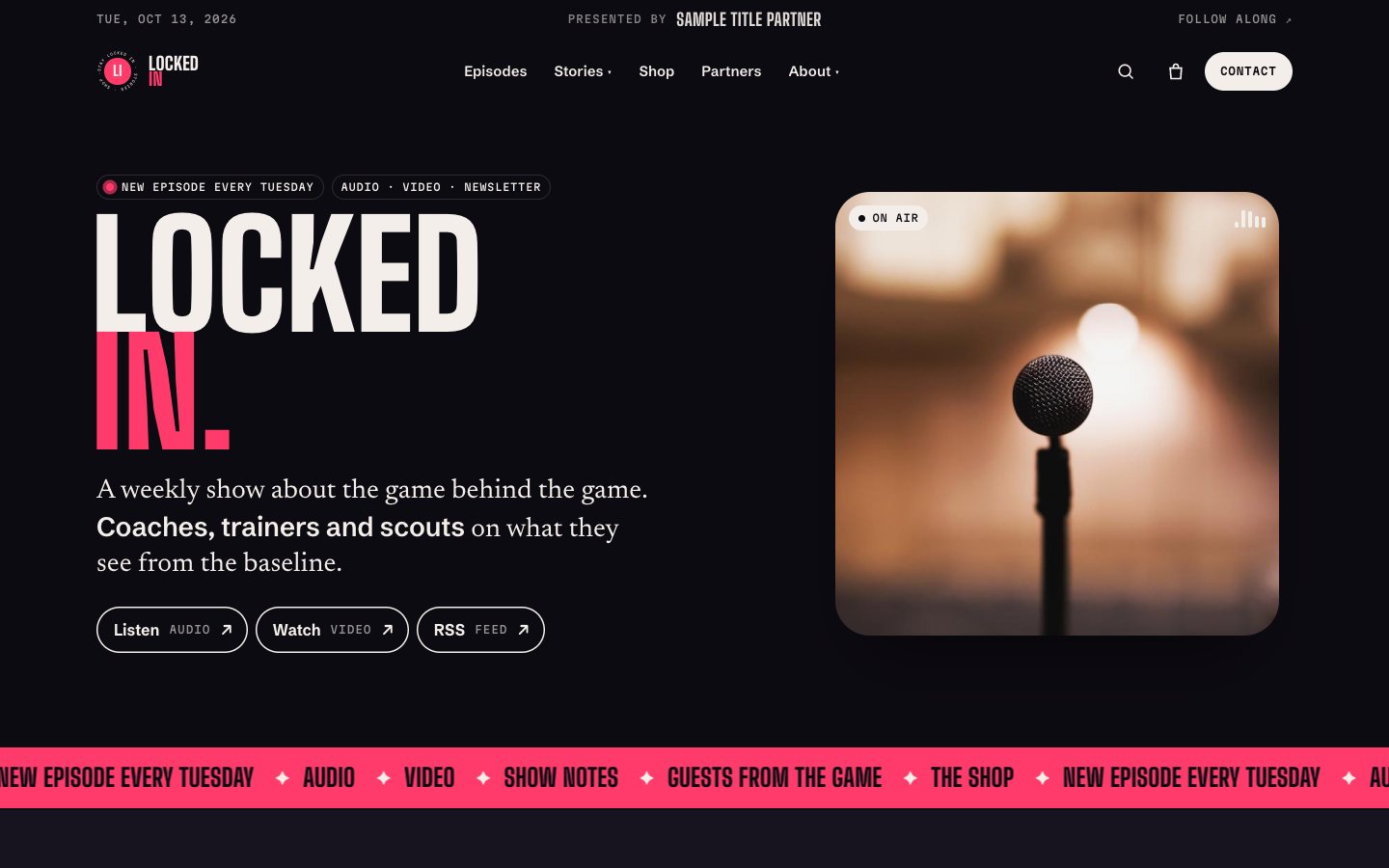 On Air: The podcast edition. Episodes, player and video.
How to install Locked In on Shopify
- Download and unzip
LockedIn_V1.zip. - In Shopify, open Online Store → Themes → Add theme → Upload zip file.
- Choose your style’s zip from the Theme folder. Upload that file, rather than the full download.
- Click Customize to open the theme with sample content.
- Follow the included Sample Content steps to import products and create pages. The guide covers about 10 minutes of setup.
- Add your logo, brand colors, fonts, content, and sponsor ads. Reorder or remove sections to suit your site, then publish when ready.
Your live store stays unchanged until you publish. The download includes an illustrated installation guide, settings reference, design tokens, and supporting documentation.
 Home
Home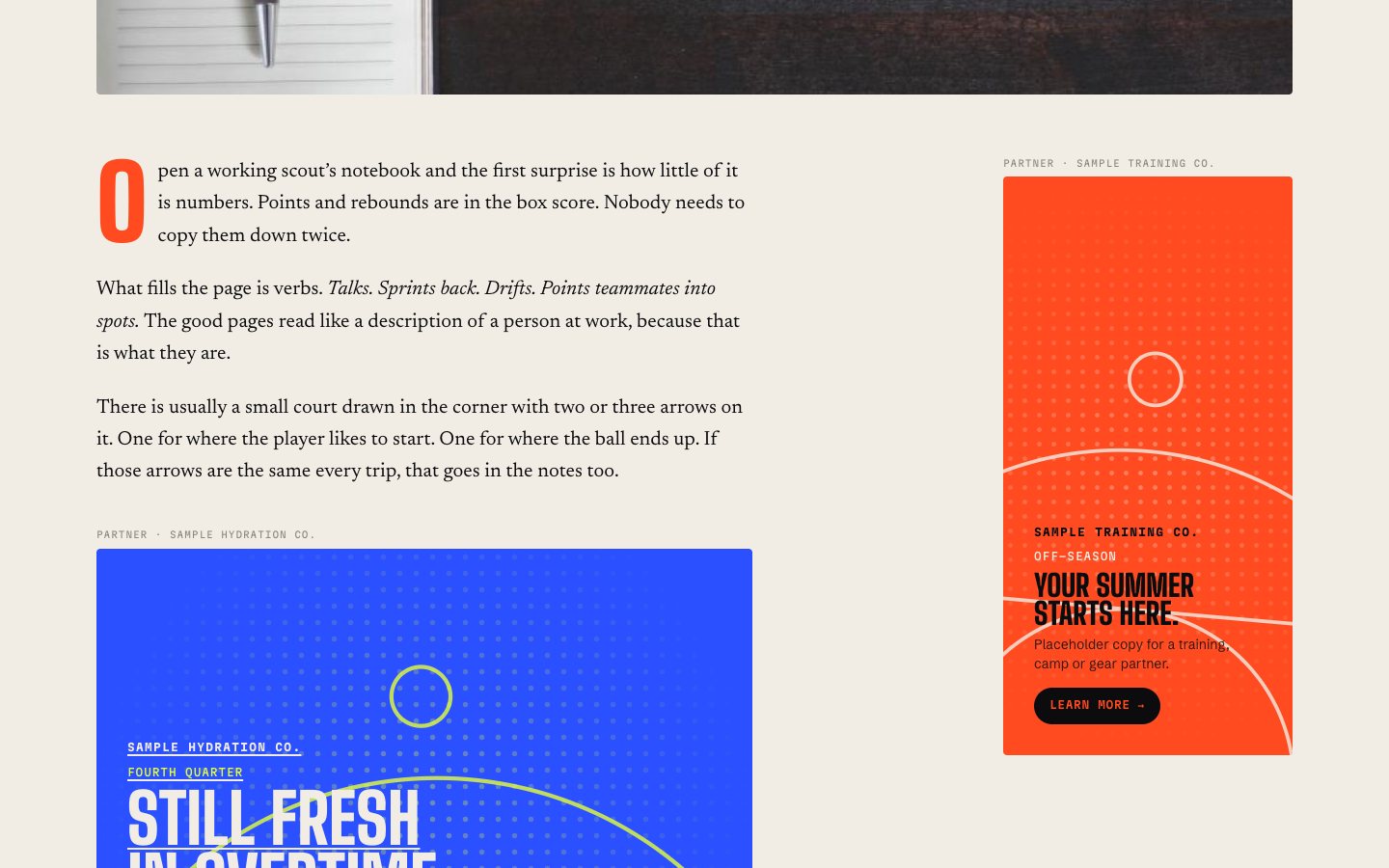 Story
Story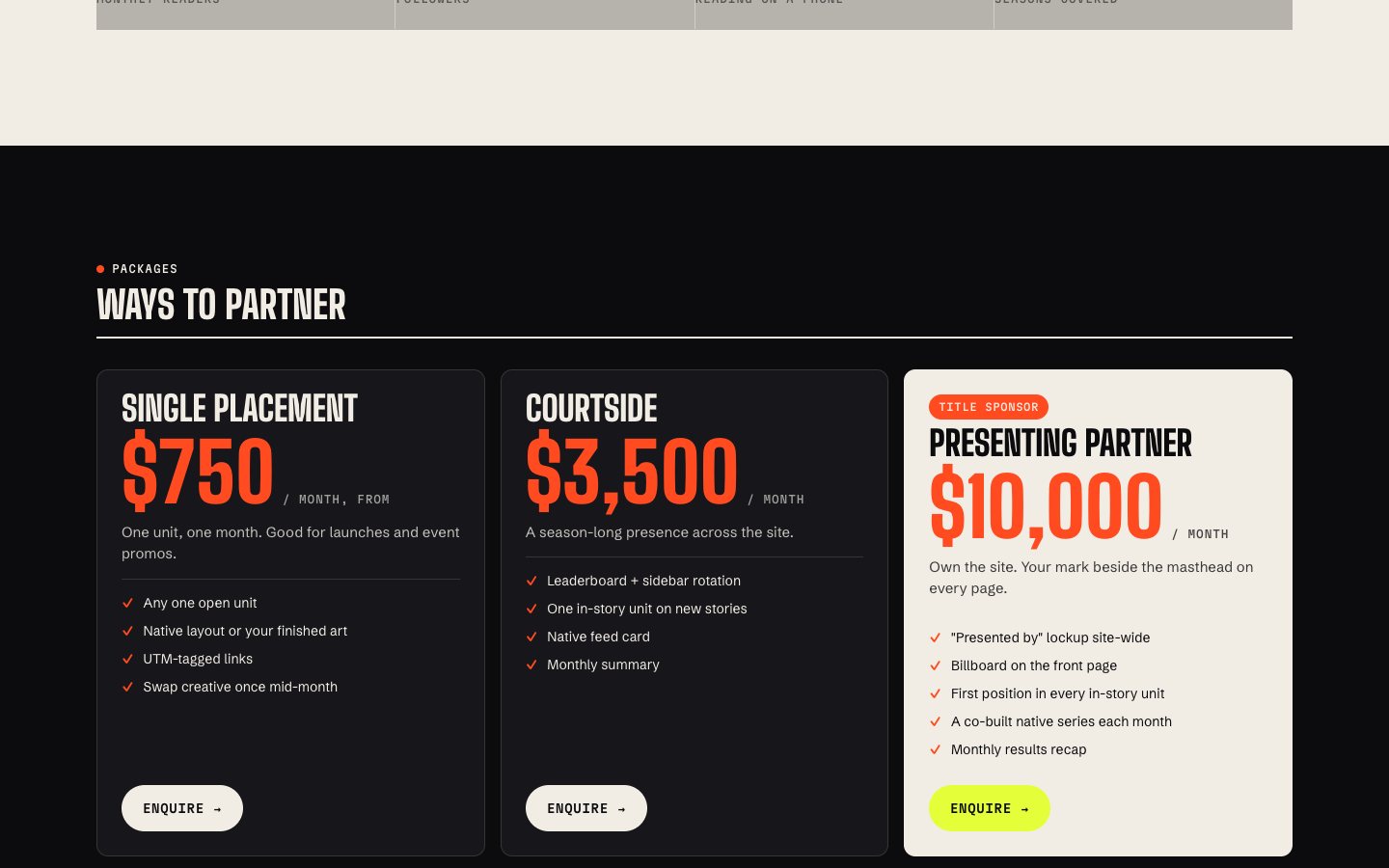 Partners and media kit
 Shop
Shop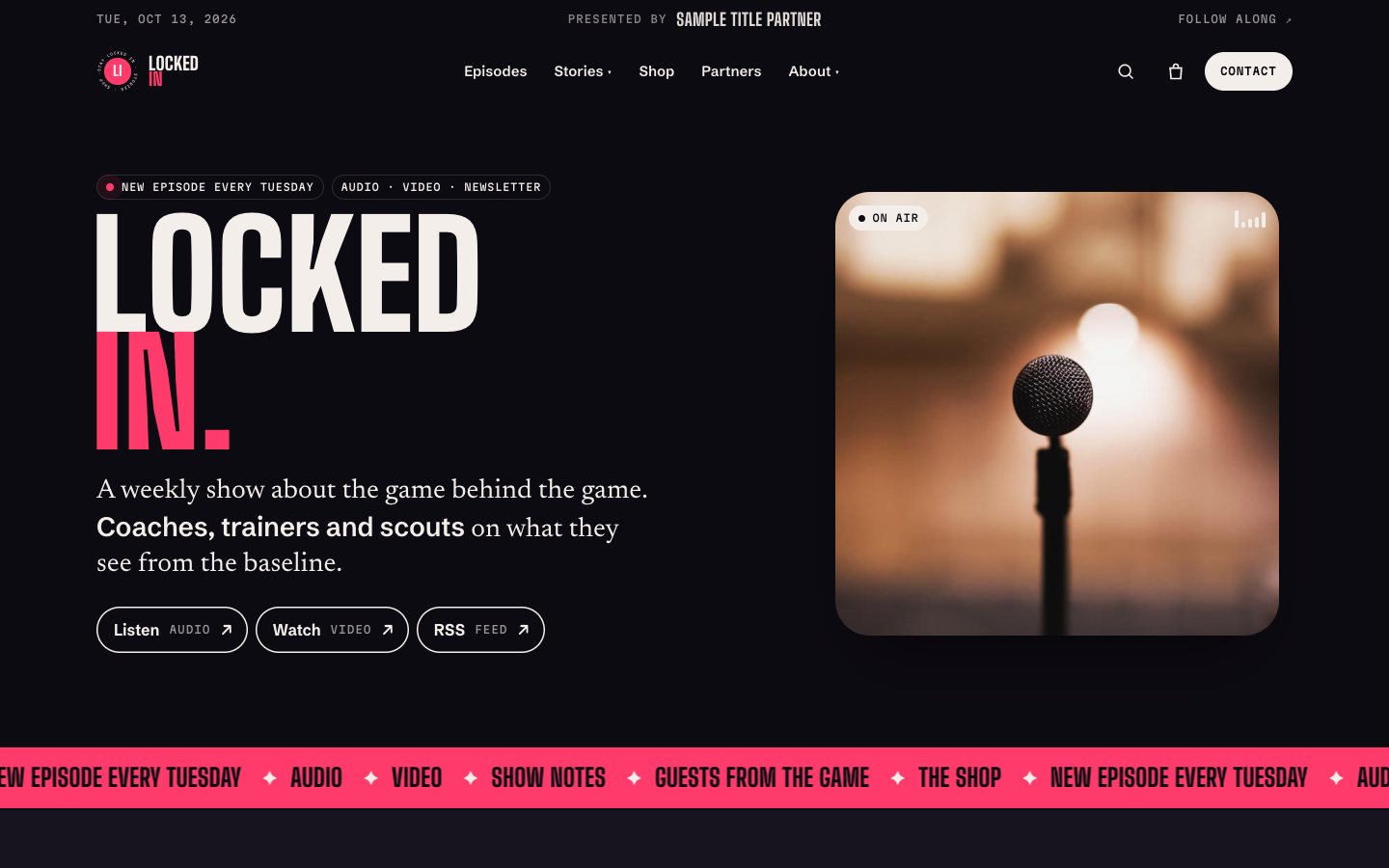 Podcast home
 Episode
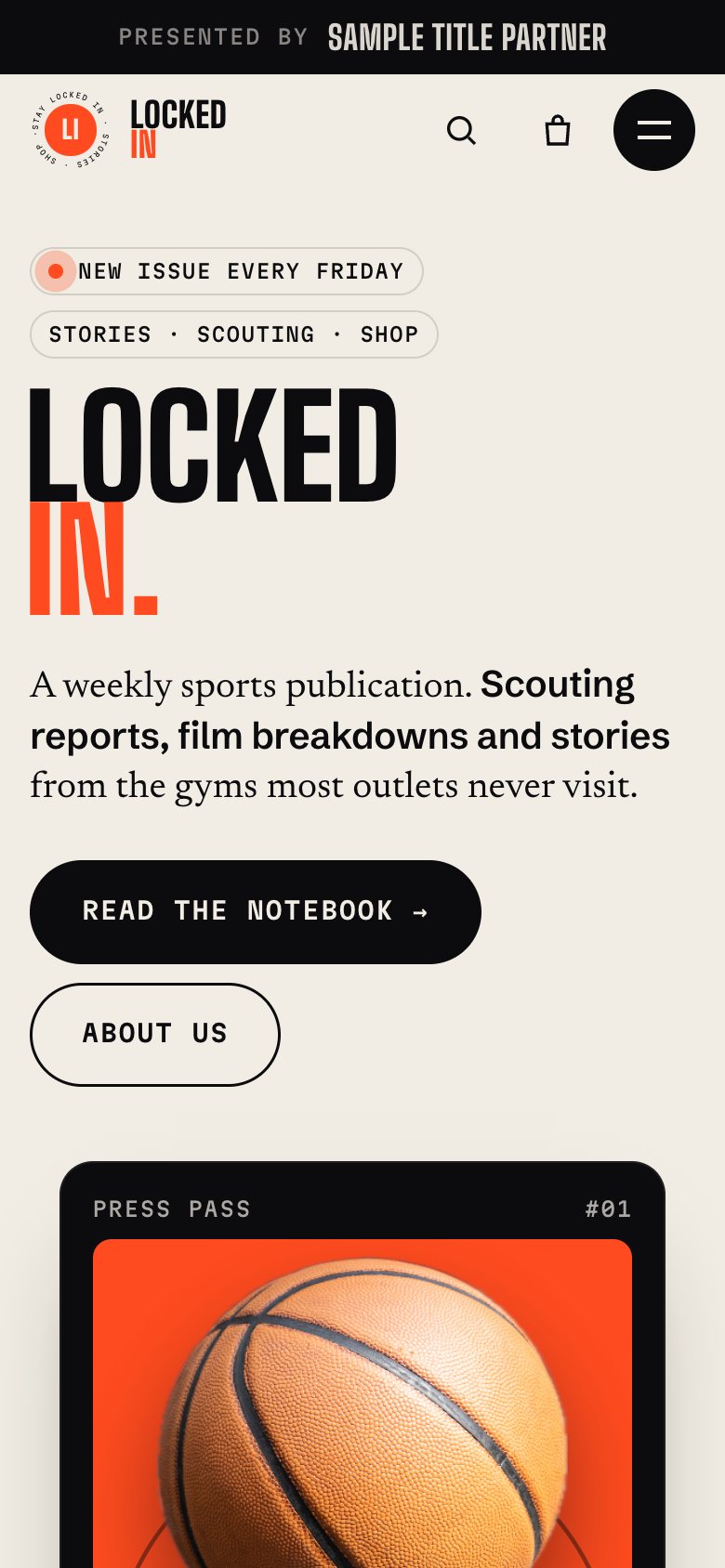 Home
Home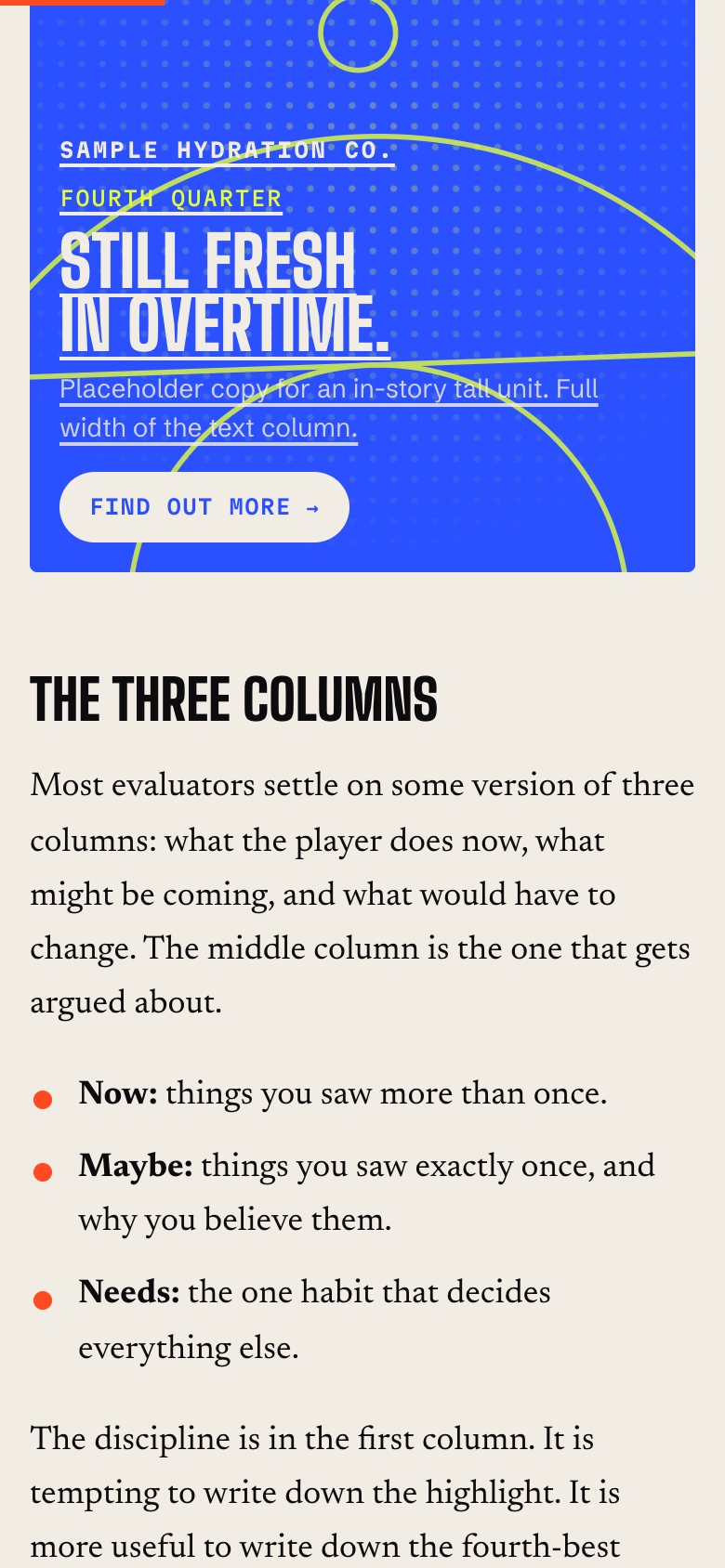 Story
Story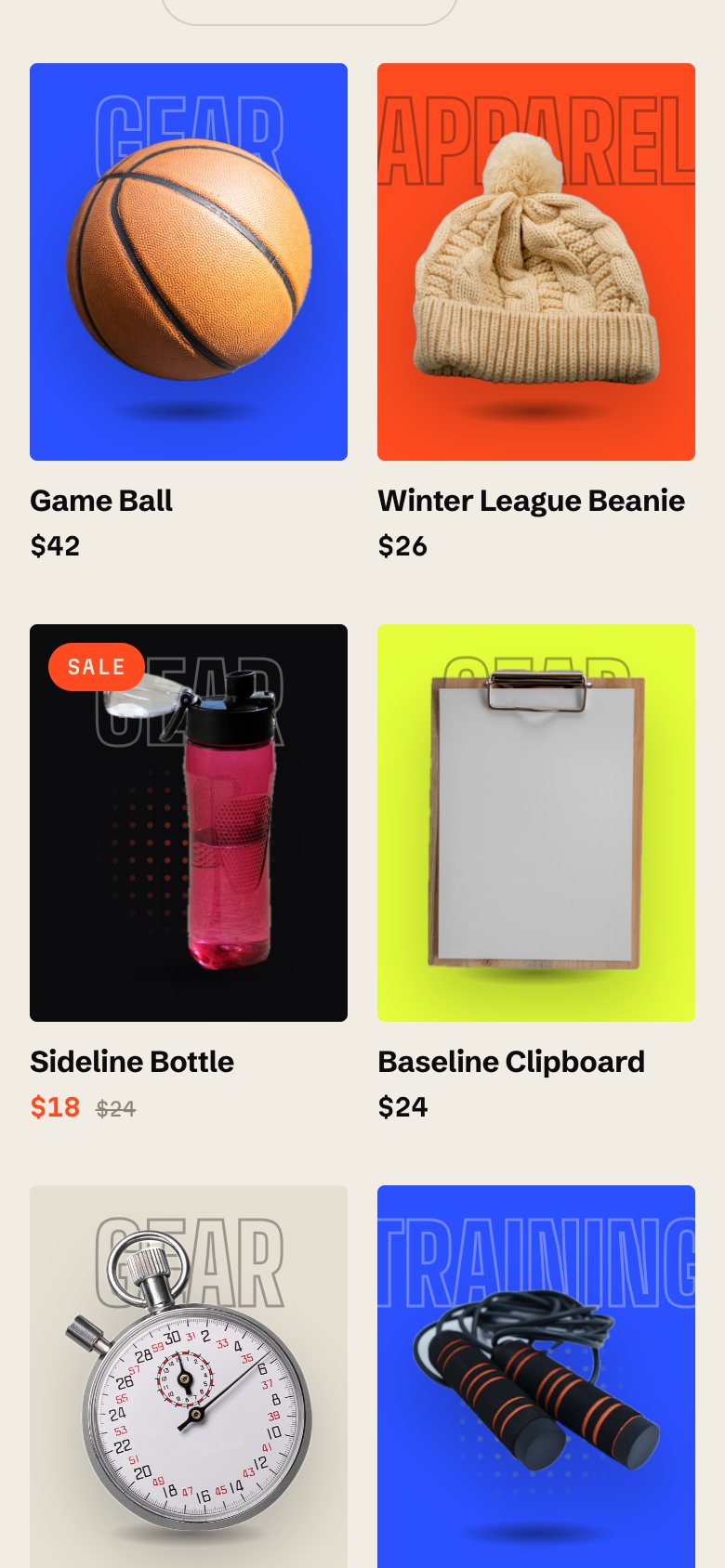 Shop
Shop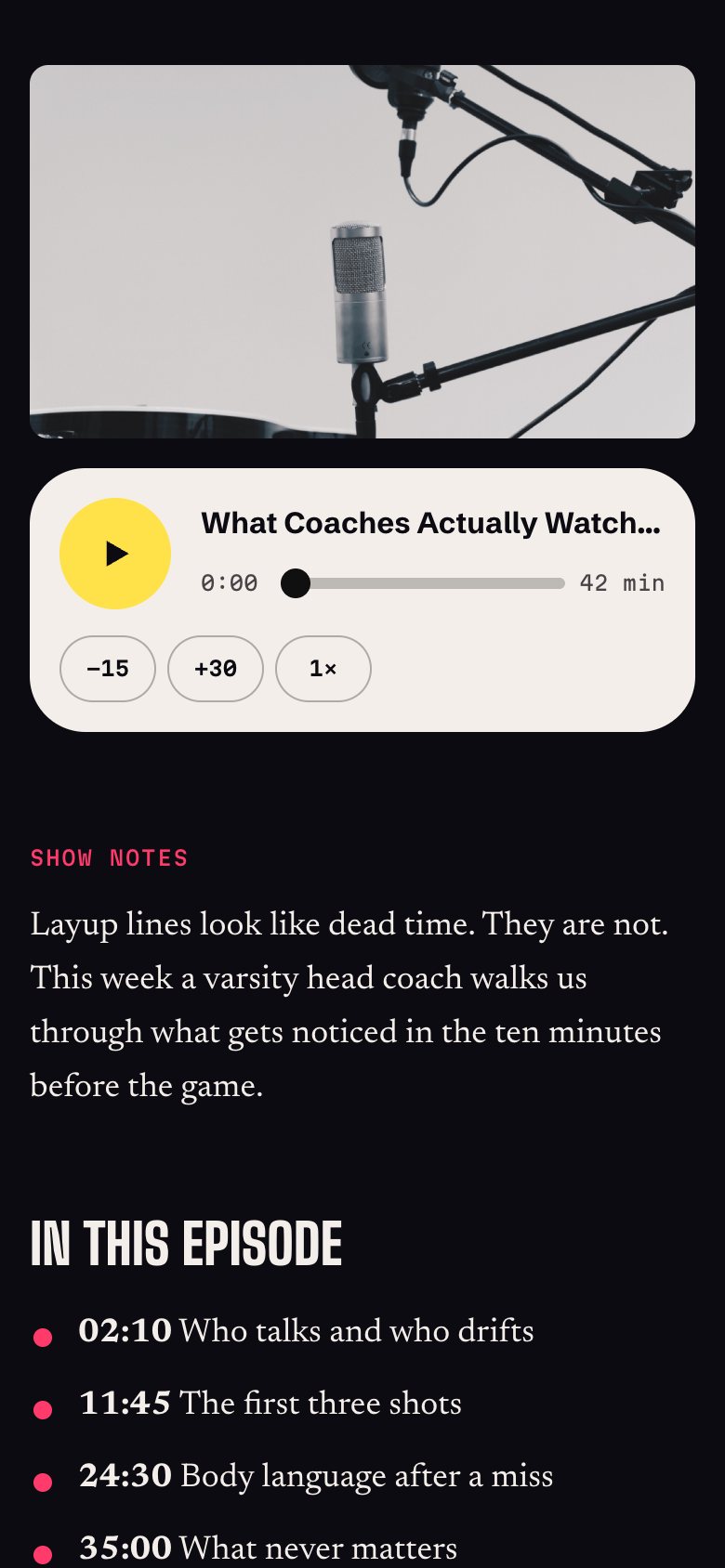 Episode
Get Shopify design and development help from ProductBloom
Set up Locked In on your Shopify store
We can install the theme, apply your branding, bring in content, configure sponsor ads, and build custom sections. This is a fit when Locked In supports your business and you want help getting it ready to publish.
Design a custom Shopify theme for your brand
If you need a different structure or visual direction, we can design and build a custom Shopify theme for your brand. ProductBloom’s services cover branding, product and UI design, design systems, and web development.
Build a theme you sell as your own
We can also design and build a theme for you to sell under your own brand. ProductBloom keeps 5% of that theme’s sales. Start a project to discuss the audience, requirements, and commercial arrangement.
Questions
What is the Locked In Shopify theme?
Locked In is ProductBloom’s Shopify Online Store 2.0 theme for sports media, creators, podcasts, and publications. It combines publishing, services, a shop, and podcast episodes with built-in direct sponsorship placements.
How much does Locked In cost?
It’s $200 one time, including five styles, a single-store license, and 12 months of updates. The license covers one live store plus its development and staging copies.
Do I need an app to run sponsor ads?
No. The built-in system supports creative, sponsor links, campaign dates, and weighted rotation without an extra app or outside ad scripts.
Can I customize Locked In for my brand?
Yes. You can change colors, fonts, your logo, layout settings, and section order, with controls for motion and hero content.
Can I publish podcast episodes with Locked In?
Yes. Each episode is a blog post with its own player, show notes, listen links, hosts, and sponsor strip. Audio can use a direct link or a podcast-host embed.
Does Locked In include sample content?
Yes. Built-in samples help you preview the layout before adding your own content. The download also includes a product import file and setup steps.
Can ProductBloom install it or build a custom theme?
Yes. We can set up Locked In, design and build a custom theme for your brand, or build a theme you sell as your own. For a theme you sell, ProductBloom keeps 5% of its sales.